

Multimedia AAC Language Laboratory
Teaching/learning languages in innovative way in the classroom and remotely
Key advantages
Provides teachers with tools to create engaiging and effective lessons
Educators work with a comprehensive suite of powerfull, yet easy to use tools designed to foster engagement, streamline classroom management, and enhance specialized language instruction.
Classroom Management & Control
Persistent Management Tools: Powerful, easy-to-use classroom management features are available at all times to maintain focus and order.
Remote Support: Provide direct assistance by taking control of a student’s keyboard and mouse, supplemented by a live audio connection.
Real-Time Monitoring: Assign tasks and monitor student activities and progress as they happen.
Content Sharing & Broadcasting
Screen & Audio Sharing: Broadcast the teacher’s screen and audio to individual students, specific groups, or the entire class.
Multimedia Integration: Share digital content and multimedia files seamlessly with both in-class and remote students.
Interactive Video: Broadcast high-quality video or movies in real time, featuring a teacher’s live comments as an overlay.
Student Showcasing: Share a specific student’s work with the rest of the class to highlight examples or foster peer review.
Collaboration & Group Work
Flexible Grouping: Easily create up to 6 distinct work groups for collaborative projects.
Conversational Pairing: Establish up to 15 conversational groups for pairing activities and role-playing.
Monitored Interaction: Teachers can monitor and participate in student pair conversations and role-play sessions.
Foreign Language Chat: Conduct dynamic written exercises using a built-in chat function designed for language practice.
Specialized Language Learning Tools
Comparative Recorder: A specialized tool for creating written and oral exercises, as well as quizzes.
Dual-Track Recording: Enhance pronunciation using the “comparative method,” allowing students to record their voice alongside a master track.
Translation & Interpreting: Dedicated functionality for practicing simultaneous translation and interpreting.
Pronunciation Practice: Focused tools to help students refine their speaking and phonetic skills.
Assessment & Workflow
File Distribution: Efficiently send files and assign exercises to the entire class.
Automated Collection: Collect completed results from students with a single action.
Automatic Recording: All student work is automatically recorded and saved for teacher evaluation and grading.
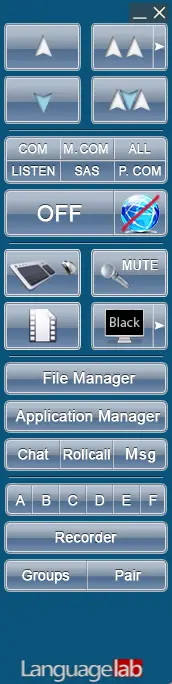
Keep your students on track
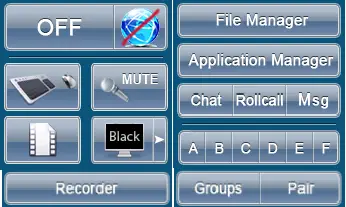
Management Commands are available to teacher on the control panel at any time.
Video commands – Monitor and Manage in Real Time
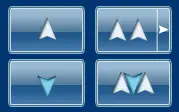



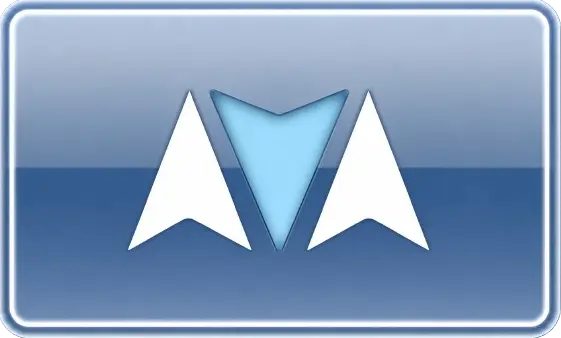
Audio commands – Manage audio communication with students


Management commands







“Microphone” button on the student Thumbnail
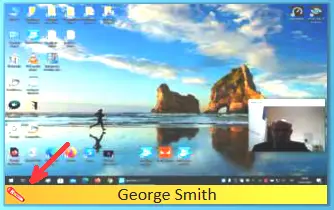
Teacher activates a public conversation with the selected student clicking P.COM audio command. A group or entire class can now hear this one-on-one dialogue as a learning example.
To add sudents one by one to the coversation teacher clicks on the microphone icon on the student’s thumbnail. If all microphones are clicked, it becomes a full-room open forum


